




-
 Pick up from Saudi AV Tech warehouses
-
Express delivery
-
Express delivery by DHL
RoomPanel Plus E2 features built-in microphones and sounders, ambient and proximity light sensors, Wi-Fi 5, Bluetooth 5.0, Ethernet 10/100, PoE (IEEE 802.3af/at), and 2MP camera, with Yealink Cloud management support and RoomSensor integration to automatically update scheduling. Ideal for modern offices with flexible mounting (0°/20°/mullion).

Hurry up to order the product and get a discount of up to 30%
Sale_coupon_15
 Pick up from Saudi AV Tech warehouses
 Same day delivery
Free
 Express delivery
 Products will be delivered to the location specified by the customer.
3 working days
Free
 Express delivery by DHL
 DHL delivers the products to the specified location.
3 working days
My trials
 2-year warranty
 More details
 Return within 30 days
 More details
Payment Methods:

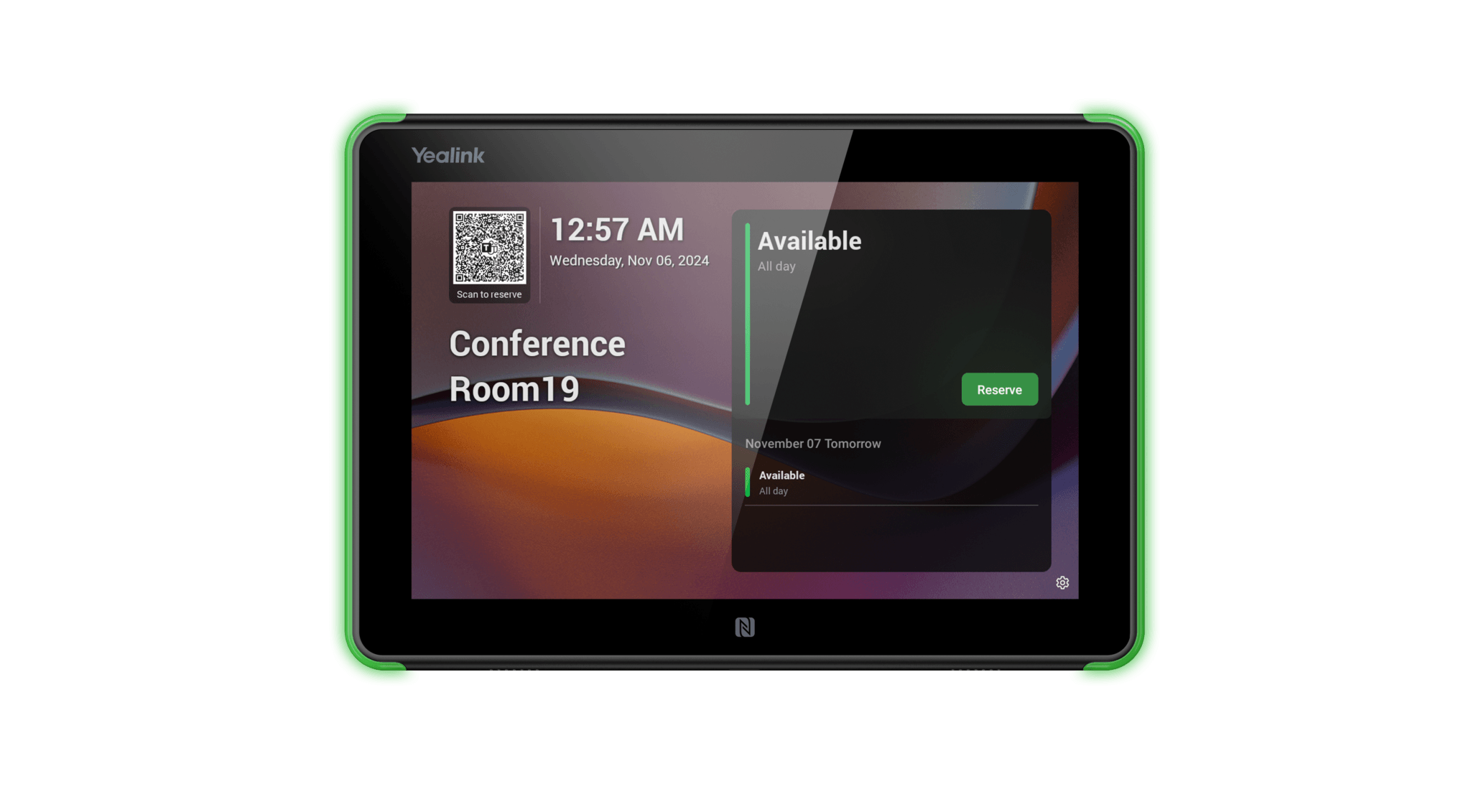
RoomPanel Plus E2 is designed for efficient room management, with 10.1″ display (1000:1 contrast, ±90° viewing angle, anti-fingerprint), RGB LED for status (reserved/free/occupied), NFC/RFID for secure identification, arrays and Spreakers microphone for voice interaction, TOF proximity and ambient light sensors for energy saving. Supports IEEE 802.1X (EAP-MD5/TLS/PEAP/TTLS), USB-A, reset pinhole, temperature 0-40°C, humidity 10-95%.
Supports integration with scheduling apps (Google Calendar, Microsoft Bookings, Office 365), stand-alone gateway, wireless connection for RoomSensor, remote management, compatible with Yealink Teams Rooms and other systems (dimensions 247.6 x 166.36 mm, weight 0.627 kg).
Yealink RoomPanel Plus E2 addresses one of the most common and frustrating issues in corporate work environments: Booked and unused meeting rooms, repeatedly searching for an available room, and confusion about each room’s schedule. By installing this smart panel outside each meeting room, everyone knows immediately and remotely – thanks to the colorful LED indicator – whether the room is available (green), occupied (red) or about to start (yellow), without having to open the door or check the calendar.
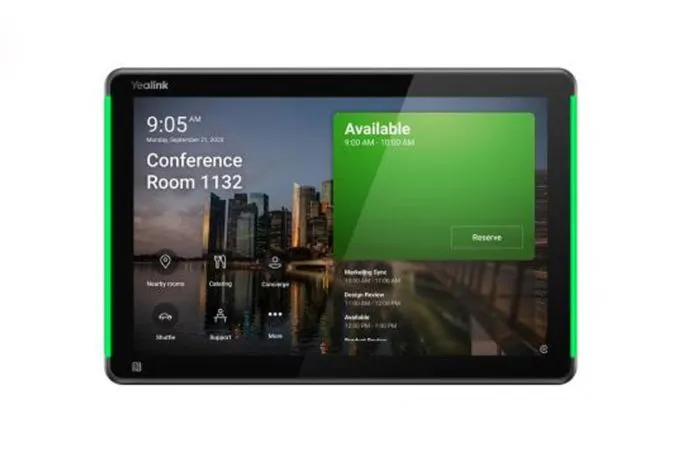
The board features a high-definition color touchscreen that displays the room name, current status, the current meeting, its details, and the entire upcoming schedule, with an intuitive user interface that enables instant one-touch room booking directly from the board – no need to return to your computer or phone to create a reservation via Outlook. The current meeting can be extended or ended early with one touch to instantly free up the room.
The board incorporates smart attendance sensors that automatically detect reserved rooms that have not been attended within a specified period of time, and automatically releases the reservation to make the room available to others. This feature alone significantly improves meeting room utilization, as studies show that in many organizations, up to 30-40% of bookings are never actually attended.
The board integrates seamlessly with Microsoft Teams, Microsoft 365, and Exchange/Outlook calendar, with real-time bookings synchronized between the board and the digital calendar. Its slim, sleek design blends professionally into the wall of any modern office, with PoE (Power over Ethernet) support that eliminates the need for a separate power supply and greatly simplifies installation.
All panels are centrally managed via Microsoft Teams Admin Center and the Yealink Device Management platform, enabling IT teams to deploy, update, and manage dozens or hundreds of panels across multiple locations from a single dashboard.
Why IT managers and procurement officers choose Yealink RoomPanel Plus E2
Ends the issue of reserved and unused rooms with presence sensors and automatic editing
Instantly displays room status remotely via color LED (green/red/yellow)
Enables instant booking, extension, and cancellation with one touch directly from the panel
Seamlessly integrates with Microsoft Teams, Microsoft 365, and Outlook/Exchange calendar
Supports PoE operation – one Ethernet cable for power and data without a separate power supply
Centrally managed via Teams Admin Center to efficiently deploy and manage hundreds of boards
Improves the utilization of meeting spaces and significantly reduces the waste of office resources
Main advantages
Smart attendance sensors and auto-release – Detects reserved rooms that no one has shown up and automatically releases the reservation to make it available to others, addressing 30 – 40% of unused reservations in organizations40% of unused reservations in organizations.
Remotely visible color LED – Instantly displays room status in color (green = available, red = occupied, yellow = about to start) without having to open the door or check the calendar.
Color touchscreen with intuitive interface Intuitive interface – displays room name, status, current meeting and upcoming schedule in full with one-touch instant booking, extension and cancellation.
Seamless integration with Microsoft Teams and Microsoft 365 – Instant synchronization with Exchange/Outlook calendar in real-time to ensure Accurate information across all platforms
PoE operation – Simple one-cable installation – A single Ethernet cable provides both power and data, eliminating the need for a separate power supply and greatly simplifying installation and maintenance
Slim and sleek wall mount design – Professionally blends into the wall of any modern office outside the meeting room with a modern, sophisticated look
Centralized management via Teams Admin Center and Yealink RMM – Deploy, update and manage dozens or hundreds of boards across multiple locations from one dashboard with proactive monitoring
 Overview
 | Model | RoomPanel Plus E2 |
|---|---|
| Manufacturer | Yealink |
| Device Type | |
| System OS | Android 13 |
| Display | 10.1-inch |
| Resolution | HD (typically 1280 × 800) |
| Dimensions | |
| Authentication Methods | |
| Connection Protocol | Wi-Fi |
 Processor
 | Model | RoomPanel Plus E2 |
|---|---|
| Manufacturer | Yealink |
| Device Type | |
| System OS | Android 13 |
| Display | 10.1-inch |
| Resolution | HD (typically 1280 × 800) |
| Dimensions | |
| Authentication Methods | |
| Connection Protocol | Wi-Fi |
Show only reviews in English ()
 Brands

By Team
Connect with more potential customers and close deals.
Reduce churn with AI software
Simplify operations with advanced features.
By industry
Easy global outreach with AI capabilities
Protect financial info and ensure solid CX.
Unlock new markets and faster outreach.
Top-tier outreach to drive enrollment.
By Use
Run remote ops with a calling software.
Speed up lead gen with a business call system.
Make your customers happier with the #1 AI CRM
By size
Grow revenue and improve CX.
Provide local presence and reach more markets.
 English
No account yet?
Create an Account


Reviews
Clear filtersThere are no reviews yet.